

Key Takeaways
- The declarations page is a concise summary of your policy - not the full contract.
- It lists your covered vehicles, named drivers, coverage types, limits, and deductibles.
- Errors on the dec page can affect your ability to collect on a claim.
- Comparing your dec page to your actual driving situation helps you spot coverage gaps.
- Review the dec page every renewal period, especially after life changes.
What you will need
Why the Declarations Page Matters More Than Most Drivers Realize
Most drivers glance at their auto insurance renewal documents, confirm the premium hasn't jumped unreasonably, and file them away. The declarations page - the one- or two-page summary at the front of your policy packet - deserves considerably more attention than that.
It is, in practical terms, the snapshot of your entire coverage arrangement: who is covered, what vehicles, under what circumstances, and up to what dollar amounts. When you get into an accident or file a claim, the dec page is the first document your insurer and any other parties will reference. Errors or outdated information on it can create real complications at the worst possible time.
Understanding the dec page also helps you make informed decisions about your coverage. Many drivers discover, only after a loss, that they dropped a coverage they thought was included - or that a limit they chose years ago no longer reflects their financial situation. The coverage gaps that tend to surprise drivers are often visible on the dec page, if you know what to look for.
What you will need
How to Read Your Dec Page Step by Step
The layout varies by insurer, but every declarations page covers the same core information. Use the steps below as a guided walkthrough. You'll need the tools listed here to verify the details accurately.
Declarations Page (Dec Page)
The primary document you will review - your insurer issues this at purchase and each renewal.
Full Policy Document
Used to verify the details and exclusions behind any coverage line item on the dec page.
Vehicle Registration
Used to cross-check the VIN, make, model, and year listed on the dec page.
Driver's License(s)
Used to verify that all named drivers and their license numbers are accurately listed.
Locate and open your declarations page
Your insurer sends a declarations page (often called a "dec page") when you first purchase a policy and again at every renewal. Find it in your insurer's online account portal, your renewal packet, or your email inbox. If you can't locate it, call your insurer or agent and request a copy - they are required to provide one.
Confirm your policy period and personal information
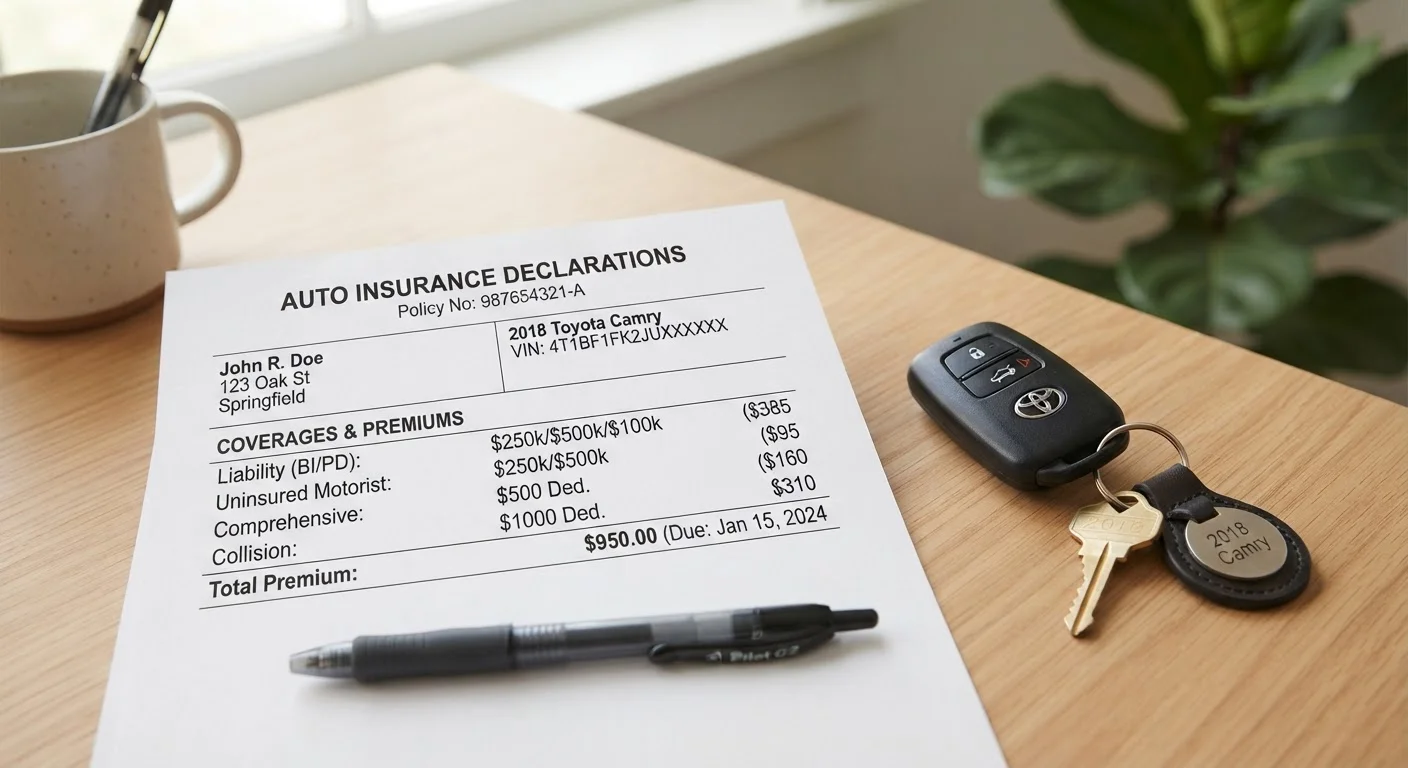
At the top of the dec page, you'll find your policy number, the named insured (your legal name), your mailing address, and the policy period - the exact start and end dates of coverage. Verify that your name is spelled correctly and that your address is current. An outdated address can complicate both renewals and claims.
Check every listed vehicle
The dec page lists each vehicle covered under the policy along with its year, make, model, and Vehicle Identification Number (VIN). Pull out your registration documents and match every VIN digit for digit. Also confirm the listed use - some policies distinguish between personal use and commuting or business use, which can affect coverage.
Review all named drivers
Your dec page lists every driver your insurer has rated on the policy. Check that all regular drivers in your household are included. A household member who drives regularly but is not listed - or is listed as excluded - may not be covered in an accident. Confirm each driver's name and license number is accurate.
Understand each coverage type, limit, and deductible
The core of the dec page is a coverage table showing each type of coverage, the limit (the maximum the insurer will pay), and - where applicable - the deductible (what you pay out of pocket before coverage kicks in). Common line items include:
- Bodily Injury Liability - covers injuries you cause to others; expressed as per-person / per-accident limits (e.g., 100/300)
- Property Damage Liability - covers damage you cause to others' property
- Uninsured/Underinsured Motorist - protects you if the at-fault driver carries insufficient coverage
- Collision - pays for damage to your vehicle from a collision, minus your deductible
- Comprehensive - covers non-collision events like theft, weather, or fire
- Medical Payments / PIP - covers medical costs for you and passengers regardless of fault
For a full explanation of what each coverage type does, see Auto Insurance Decoded.
Note any endorsements, discounts, or exclusions
Endorsements are additions or modifications to your base policy - they may expand coverage (e.g., roadside assistance, rental reimbursement) or restrict it. Exclusions identify what is specifically not covered. Both are often listed at the bottom of the dec page or referenced by form number. If you see a form number you don't recognize, request that specific document from your insurer to understand its impact.
Flag gaps and follow up with your insurer
After reviewing all sections, note anything that doesn't match your current situation: a missing driver, a coverage you thought you had, a deductible that seems higher than agreed, or a vehicle listed incorrectly. Contact your insurer or agent in writing to correct errors. For a structured approach to doing this review at every renewal, the annual policy review checklist walks through common life changes and the coverage adjustments they warrant.
The Dec Page Is Not Your Full Policy
The declarations page summarizes your coverage but does not contain all the terms, exclusions, and conditions that govern your policy. Always refer to the full policy document - and your insurer directly - to understand what is and is not covered in a specific scenario. Never rely solely on the dec page when evaluating a potential claim.
Inaccurate Driver or Vehicle Info Can Void a Claim
If a listed driver's license number is wrong, or a vehicle's VIN doesn't match your car, your insurer may have grounds to deny a claim or adjust your payout. Verify every detail on your dec page against your actual documents - not just on first issue, but at every renewal.
Use Your Dec Page as a Starting Checklist
Print or download your current declarations page and keep it somewhere accessible - ideally alongside your registration and proof of insurance. When life changes (new vehicle, new driver in the household, address change), pull it out and check whether your listed details still reflect reality. This habit catches coverage gaps before they become costly surprises.
This article is for general informational purposes only and does not constitute insurance, legal, or financial advice. Coverage terms, limits, exclusions, and regulations vary by insurer and by state. Always read your full policy documents and consult a licensed insurance agent or adviser for guidance specific to your situation.